Home » teaching and learning
Category Archives: teaching and learning
Hybrid Learning and Teaching in Higher Education Pre-Date the Pandemic
One of the most tiresome things about thought pieces on the future of universities pumping out at the moment is the constant presumption that a move to a ‘hybrid’ model of teaching (ie mixing face-to-face and online learning) is something new to everyone. It’s not. As just one example, Internet Studies has taught both face-to-face and online versions of all the units in our major for more than 15 years, both at Curtin University and via Open Universities Australia. Students have *chosen* whichever mode fit their lives best, and students can excel in either.
Also deeply disheartening is the presumption that online teaching is intrinsically less impactful than face-to-face. It’s not. But it takes significant work in curriculum design and learning & teaching modes (yes, even via lectures) to engage online learners. Despite workload models that presume the opposite, teaching units online well takes more time, not less, & it’s rare that just one platform (or ‘learning’ management system) offers enough to encompass that learning. Multiple tools work if there is sufficient support for each. Shifting learning material online at very short notice (because of a pandemic) does not equal online learning, it’s making the best of a bad situation (& colleagues across the sector have done so much more than that), but this isn’t the benchmark against which online learning should be judged.
And despite unprecedented pandemic times, hybrid teaching, online teaching, or even face-to-face teaching that is mindful of the complicated context learners are living in, can clearly be better designed by consulting the mountains of work & research on each of these modes. The pandemic has challenged higher education in profound ways, but we have to do what we do best: build our responses on the research, scholarship & best practice that already exist. We know better than reinventing the wheel in any other context, let’s remember it in this one, too.
Edit: On Facebook Mark Pegrum pointed me to work that frames going online for teaching during the pandemic as ERT, or emergency remote teaching, which is quite compelling terminology. I particularly like this quote:
In contrast to experiences that are planned from the beginning and designed to be online, emergency remote teaching (ERT) is a temporary shift of instructional delivery to an alternate delivery mode due to crisis circumstances.
Open Access Week 2014
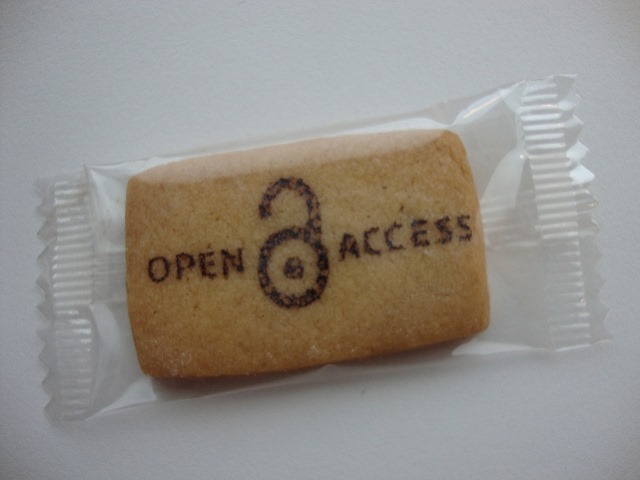 So, it’s Open Access Week this week, and just in case you’ve not been paying attention, yes, I am a fan. Open access journals like the fantastic Fibreculture ensure anyone – whether in academia or anywhere else – can read the work published there (including my own Olympic Trolls: Mainstream Memes and Digital Discord?). Gold open access (proper, full, unrestricted) is the best, but ‘green’ open access arrangements also mean that many commercial publishers at least allow authors to share an early version of their work, so while you might not be able to access the final published version, at least a post-print (a version not formatted and edited by the journal, but still 100% the same content) can be hosted elsewhere, which is why you can read Joss Whedon, Dr. Horrible, and the Future of Web Media over at Academia.edu.
Instead of blowing my own trumpet further, though, I’d rather talk about two recent open access developments that are far more interesting. The first is a truly outstanding collaboration by a group from the Association of Internet Researchers (and the Selfies Research Network on Facebook) who’ve created an open access, Creative Commons licensed, Selfies course. Each of the six weeks covers a particular perspective or area relating to selfies, with readings, provocations, suggested assignments and, of course, selfie activities. The breadth of ideas, and structured learning activities, make this a great course in its own right, but even more impressively it’s explicitly presented as material that can be used, explored, utilised and built on by other educators across a range of disciplines and levels. This sort of collaboration and sharing epitomises the very best of open access education, and it doesn’t hurt that the people behind it are some of the smartest thinkers about online culture around today.
So, kudos and well done to the talented group who’ve created this amazing resource, namely: Theresa Senft (New York University, USA); Jill Walker Rettberg (University of Bergen, Norway); Elizabeth Losh (University of California, San Diego, USA); Kath Albury (University of New South Wales, Australia); Radhika Gajjala (Bowling Green State University, USA); Gaby David (EHESS, France); Alice Marwick (Fordham University, USA); Crystal Abidin (University of Western Australia, Australia); Magda Olszanowski (Concordia University, Canada); Fatima Aziz (EHESS, France); Katie Warfield (Kwantien University College, Canada); and Negar Mottahedeh (Duke University, USA).
I’ll be attending the preconference event Show Me Your Selfies: A pedagogy workshop where we’ll be discussing selfies and the selfies course, which should be a wonderful and stimulating morning, and a great lead in to Internet Research 15 which is in Daegu, South Korea this week.
Secondly, and speaking of amazing open access work, I was ever so pleased to get my hands on Jill Walker Rettberg’s new book Seeing Ourselves Through Technology: How We Use Selfies, Blogs and Wearable Devices to See and Shape Ourselves. It’s a fabulous and timely read, situating selfies, quantitifed selves and other recent phenomena with historical context, but also asking fascinating questions – and giving quite a few answers – about where these forms are going. Jill will have hardcopies of the book at IR15, but it’s completely open access, which means anyone – yes, that means you – can download and read it for free in a range of formats right now! (Update: You can read Jill’s detailed thinking behind paying for an open access monograph here.)
Looking back towards Perth, here’s a video I participated in put together by Curtin Library talking about why open access matters to researchers:
I’m the last talking head, and the bit of my interview they used is where I emphasise the importance of The Conversation using a Creative Commons open access license that explicitly gives permission for the work to be republished elsewhere. I know from first-hand experience, a piece in The Conversation can turn up in a lot of different places.
If you’re in Perth this week, there are lots of events on for Open Access Week run by Curtin Library, the details of which are here!
Enjoy Open Access Week: it’s all about sharing, after all!
[Photo by biblioteekje CC BY NC SA]
Doing Cultural Studies 2013 Roundtable: Academic Career Practice
On 3 December 2013 I had the pleasure of participating in the Doing Cultural Studies: Interrogating ‘Practice’ symposium backed by the CSAA and Swinburne University, and very professionally organised and run by the postgraduate trio Jenny Kennedy, Emily van der Nagel and James Meese. The day highlighted some impressive emerging work by postgraduate students and early career researchers in cultural studies, and featured an outstanding Keynote provocation by Katrina Schlunke (video here).
For a taste of the many excellent paper presentations, Jenny Kennedy created a Storify which curates many of the tweets from the day.
My contribution was as part of a panel addressing Academic Career Practice which was addressed more practical questions about balancing research, careers and teaching. The panellists were myself, Esther Milne and Brendan Keogh, with Ramon Lobato chairing. A recording of the panel discussion is below:
National Teaching Award!
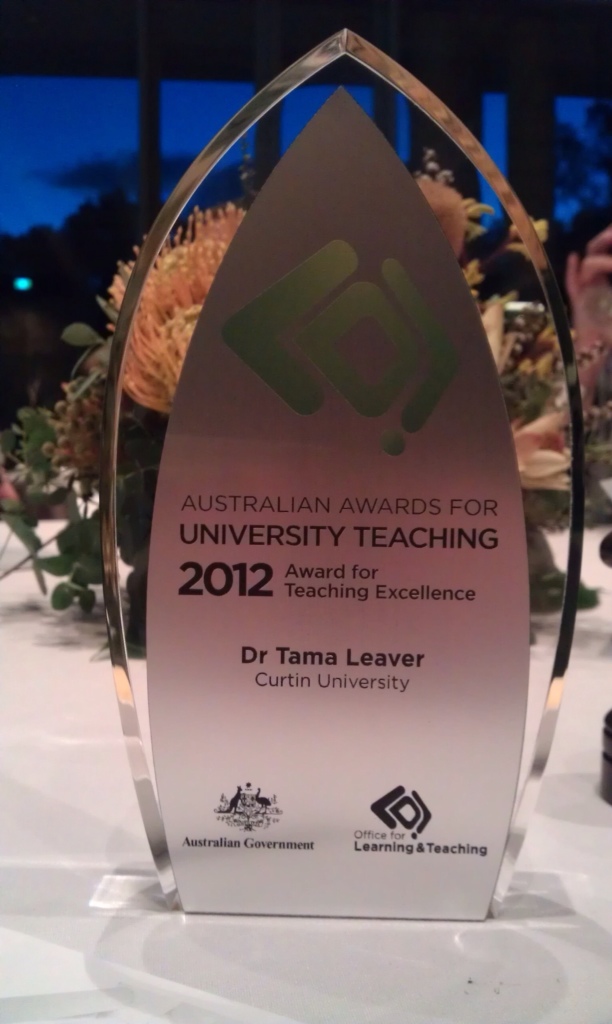
At an amazing ceremony and dinner at the National Gallery in Canberra tonight I was surprised, flattered and delighted to receive an Australian Award for University Teaching in the Humanities and Arts. This is a huge honour, and I’m extremely grateful to have my approaches to learning and teaching acknowledged in this manner. That said, I’m incredibly conscious that no one teaches in a vacuum, and in Internet Communications I am but one cog in a very complex and well-maintained machine, so this award is at least as much testimony to all of our team at Curtin University as it is to me.
Most importantly, though, I wanted to publicly thank the students who offered their thoughts and feedback about my teaching. We live in an era where students get asked to fill in an awfully large number of feedback forms, surveys and evaluations, so adding even one more thing to that pile is a big ask. So, THANK YOU to all of my students, current and past, whose kind words led to this award.
I’d also like to think that this award is a reminder that despite the huge media attention being paid to MOOCs and so forth, quality online education has been available and refined over more than a decade, and our Internet Communications program is one such example. I truly hope that as this next generation of online learning matures, close attention will be paid to successful examples already available! Successful learning and teaching is, after all, built on understanding the successes and failures of the past.
Digital Culture Links: November 17th 2010
Links for November 11th 2010 through November 17th 2010:
- The Shadow Scholar [The Chronicle of Higher Education] – A truly fascinating, albeit hugely disheartening, piece describing the inner workings of a paid student essay mill from the inside. The pseudonymous author talks candidly about her/his range and rates, as well as the sort of relationships that can form with repeat customers, who use this sort of service to pass entire degrees. It’s a huge indictment of huge chunks of the global education system, but also contains some implicit points about how to write assignments that are much harder to plagiarise. Some of the comments are well worth reading, too, although many are more about name-calling than taking the issues raised seriously.
- Riding the tube [SMH] – Profile of Natalie Tran, Australia’s most successful YouTuber, with near to a million subscribers, making a healthy living off the advertising.
- Twitter + Ping = Discovering More Music [Twitter Blog] – Now Twitter can be integrated into Apple’s Ping proto-social network, so you can share your musical likes in your Twitter stream. Ping is still at a very early, underdeveloped stage … I’m not sure what this will add for Twitter except a bunch of musical likes. For Apple, it’s a huge win since those links are pointing back to the Apple store (with integration into the new twitter, so you can click directly on the songs to purchase).
- Fox.com joins NBC, ABC and CBS by blocking Google TV [Engadget] – Google have some deals to strike with the networks very soon if Google TV is actually going to have any TV on it: “Looks like Fox has finally made a decision, following the other major networks, Hulu and several cable channels by opting to block streaming video on its website from Google TV devices. Blocking by Flash ID is the order of the day and takes simple browser workarounds out of play, so unless users want to go the PlayOn route, there’s large swaths of legitimate video on the web that’s now inaccessible.”
Wikipedia: What’s in it for Teachers?
[This article was originally published in Screen Education, 53, Autumn 2009, pp. 38-42. It is reproduced here with permission.]
Love it or hate it, everyone has heard of the Wikipedia. Explore most topical subjects on popular search engines like Google and the relevant Wikipedia entry will almost always be in the first few items returned. And far from a flash in the pan, on January 15 2010, the Wikipedia celebrated its ninth birthday, now encompassing more than 10 million articles spanning over 250 different languages. Yet, for teachers and academics the Wikipedia can be a constant source of concern as students increasingly start (and, in the worst cases, end) research on a new topic with a quick peruse of the Wikipedia entry. The biggest concern comes from the core premise of the Wikipedia: it’s an online encyclopaedia that can, literally, be edited by anyone. Yet for all of the fashionable talk of crowdsourcing, collective intelligence and the wisdom of the crowds, most educators prefer their students to be using sources which have more authority and reputation behind them. But is that concern warranted, and given that the Wikipedia is slowly finding a home in classrooms across Australia, what do teachers really need to know about the Wikipedia?
How the Wikipedia Works
From the outset, it is useful to remember that the Wikipedia is just one example, albeit the most well-known, of a website which uses wiki software. A wiki, by definition, is type of software which powers websites and allows anyone to edit and contribute. The wiki software that provides the architecture for the Wikipedia is called MediaWiki and is freely downloadable and reusable (see MediaWiki.org) although that requires server-space and a reasonable level of technical skill. If you’re interested in trying out a wiki, or using a free wiki in teaching, pbworks.com is a good place to start, providing basic wiki functionality for free (and more comprehensive tools for teaching for a fee).
The Wikipedia itself was launched in January 2001 by Jimmy Wales and Larry Sanger, taking its name from the combination of the words wiki and encyclopaedia. The aim of the Wikipedia is fairly simple: to produce and continually improve an online encyclopaedia that is free for anyone to use and, most importantly, can be edited by anyone. After a slow start, the Wikipedia today features over 3.3 million articles in English, with articles in hundreds of languages and it is one of the most popular reference works in the world.
Since the range of articles in the Wikipedia is largely dependant on the interest of contributors (referred to as Wikipedians), the coverage is often uneven; popular culture, recent historical events, and technical issues tend to be very well represented while less topical or more geographically-specific material can be sparse. For example, the Wikipedia entry for the current run of the popular BBC series Top Gear is more than five times longer and has more than three times the references compared to the article for Australian novelist Tim Winton. More to the point, since Wikipedia entries tend to grow over time though the contributions of many editors, newer entries are often less reliable, while those which have been edited and critiqued by a range of Wikipedians tend to be more reliable. The question of reliability, though, given the huge range of people who might contribute to, or ostensibly damage, an article, remains the most divisive issue for lovers and haters of the Wikipedia.
The Reliability Question
While the idea that anyone can edit the Wikipedia causes many people to scoff at the idea of it having any credibility whatsoever, this presumption has actually been tested far less often than it should be. In 2004, Alex Halavais, an assistant professor at Quinnipiac University, looked in to the question of the Wikipedia’s credibility and was surprised to find almost no research on the issue whatsoever. After an online discussion, he decided to test out the speed at which the numerous editors of the Wikipedia would actually be able to fix mistakes. Halavais created a pseudonym and a Wikipedia profile as ‘Dr al-Halawi’ and made 13 deliberate errors, some obvious and some obscure. He predicted that within two weeks many of these errors would remain undetected. However, within several hours, all of the deliberate errors were identified by other Wikipedians and those errors were removed.
Writing in his blog (alex.halavais.net), Halavais noted that he was genuinely impressed by the speed and effectiveness with which the Wikipedia entries were corrected. While he conceded that his experiment didn’t ‘prove’ that the Wikipedia was reliable for everything, he did highlight the time and effort many people put into the Wikipedia, and that editors often also see themselves as guardians of particular articles, even obscure ones.
It’s worth explaining that one of the functions all registered Wikipedia users have access to is something called a Watchlist. Whenever an article on a user’s watchlist is edited by someone else, the watchlist user is sent a message and, upon notification, many Wikipedians will immediately examine the new material. In the cases of obvious vandalism or error, these errors are often ‘rolled back’ within minutes (that is, the Wikipedia entry is returned to the previous version before the errors were made). For more popular articles, Wikipedians with watchlists can be extremely effective, but even the more obscure articles often end up with one or two watchers, ensuring that obvious errors tend not to last that long. There are, of course, exceptions to that rule, especially for entries which not of ongoing interest to the Wikipedians who originally created them.
In December 2005, a more substantial and widely reported study was undertaken by the leading scientific journal Nature. Articles from the Wikipedia and the Encyclopaedia Britannica on the same topics were collected and then sent for blind-review to experts on those topics; the experts were not told which articles were from which source. While there were a few substantial errors in either, on average Wikipedia entries tended to have roughly 4 inaccuracies, while the same entries from the Encyclopaedia Britannica had approximately 3 errors. The results suggested that neither Wikipedia nor Britannica was flawless, but that the reliability gap between the two was fairly small. Indeed, given the seemingly haphazard manner in which Wikipedia entries and created and refined, the Nature study has been hailed by many commentators as evidence of impressive collective intelligence of Wikipedians, and of Wikipedia’s success and credibility.
The Nature examination also highlighted the biggest difference between the two sources: while errors in Britannica would have to wait until the next hardcopy edition was created, Wikipedia entries could be fixed instantly. Indeed, it is the speed at which the Wikipedia entries can appear and develop which is often mentioned as its greatest strength. And while neither the experiments of Halavais or Nature suggest Wikipedia is perfect, it appears almost as reliable as its well-respected hardcopy competitors.
The Neutrality Question
One of the core principles of the Wikipedia is that articles should be factual and be written using a Neutral Point of View (or NPOV). This policy ensures, for example, that any claims made without the appropriate sources or references can be easily identified and removed. However, given the breadth of material covered and the number of editors, the ideal of objectivity or neutrality is a difficult one to maintain. The entry on global warming, for example, has a long history of changes and arguments between editors which has, at times, led to certain Wikipedians being blocked from editing the entry. Similarly, while the Wikipedia could easily be used as a promotional tool or for self-aggrandisement, autobiography and obvious conflicts of interest are highly discouraged. The only exception to these guidelines is the right to correct obvious factual errors.
In 2007 the Howard government was wrapped up in its own scandal when a new website launched (unaffiliated with the Wikipedia) called the WikiScanner. The Wikiscanner highlights how many changes to the Wikipedia come from any particular internet address. Journalists and others quickly pounced on this tool and found that staff in Prime Minster Howard’s department had been actively editing unfavourable entries, including those about the 2001 Children Overboard Affair and the biography of Peter Costello. The Wikiscanner also revealed thousands of changes originating from computers in Australia’s Defence Department, although this practice was quickly clamped down on, with official Defence Department rules now preventing changes being made (while at work, at least). While many of the changes were either predictable (like inserting the word allegedly into reports about the Children Overboard Affair) or inconsequential, the fact that the Howard government or the Defence Department would bother to edit the Wikipedia is a clear indication of the wide impact the Wikipedia has had across Australia and the wider world.
In 2005 one of the most biggest controversies to hit the Wikipedia erupted when well-respected US journalist and political figure John Seigenthaler had it brought to his attention that the Wikipedia entry about him falsely accused Seigenthaler of being linked to the assassinations of John F Kennedy and Robert Kennedy. At issue was not just the false information, which was removed fairly quickly after the hoax entry was exposed, but the fact that the erroneous entry had last for 4 months before someone noticed the problem. Seigenthaler’s reputation and the obviously false accusations were something of a blow to the Wikipedia, and the issue of Wikipedia’s reliability again became a hot topic in the media. In response to the Seigenthaler incident, the Wikipedia introduced new safeguards which meant some entries were protected from editing, while others could only be edited by trusted Wikipedians who had proven their reliability with a history of useful contributions. This is illustrated, for example, in that immediately before and during the inauguration of Barack Obama, the entries both for Obama and George W Bush were in ‘semi-protected’ mode. This mode means only Wikipedians who’ve made non-controversial edits to more than 10 articles over a period of time and have thus earned a level of trust, can edit these biographies. The biographical entries for many current and recent political figures are in semi-protected mode, as this prevents anonymous users, first-time users and automated scripts from altering and vandalising content. While these restrictions alter the ‘anyone can edit’ philosophy behind the Wikipedia, the changes do offer a higher level of credibility and reliability, especially surrounding hot topics and public figures, trying to maintain the ideal of neutrality.
Using Wikipedia in the Classroom
So with the caveats about credibility and neutrality in mind, what place can the Wikipedia have in the classroom? More to the point, given that many of our students are using it whether endorsed by their teachers or not, how can we try and ensure that, at the very least, students approach the Wikipedia with a critical eye?
In trying to understand the Wikipedia, the most obvious approach is to try and design a project in which students edit or create a Wikipedia page. Such a project ensures that students get first-hand experience of everything from logging in, to creating content and then working with whatever alterations or contributions come from the broader Wikipedian community. The success or failure of such a project will often hinge on carefully considering the topic to create or explore. For example, editing the biography of John Howard might be interesting, but students are likely to come up against a fairly detailed existing entry and there will probably be quite a few vested Wikipedians watching over this entry; this, in turn, might see contributions from the classroom quickly overturned. However, one of the least well-documented areas of in the Wikipedia is often local history. So a project, for example, which involved students researching their local suburb’s history, or the history of a significant community landmark or event, is far more likely to be of value both as a project and to the Wikipedia itself. Wikipedia’s policy of ensuring material is referenced would require students to do decent research, while creating a local historical entry could add both to their understanding of local history and their understanding of the Wikipedia. Wikipedians themselves suggest that one of the best ways for teachers to introduce the Wikipedia is for the whole class to use a single username and password. This allows teachers to moderate and, if needs be, to remove student contributions. If you’re considering trying out using the Wikipedia as a classroom activity, it’s worth taking a look at the Wikipedia’s guide for teachers, at: http://simple.wikipedia.org/wiki/Wikipedia:Schools/Teachers%27_Guide.
Another possibility, rather than creating entries, is to study the Wikipedia as both a cultural and social entity. Making such a study of real value are some of the greatest assets of the Wikipedia, which are not the entries themselves, but the editorial histories which are linked to each and every Wikipedia entry. Every article has an associated Discussion and History page (accessed via tabs at the top of each entry). The Discussion page (often just called Talk) is the place where Wikipedians can propose, discuss, argue and critique changes and suggested changes to articles. These pages can sometimes be banal, but often they reveal a great deal about the way people think about particular topics; these discussions can also serve as a compass in measuring what the debates are surrounding certain topics or subjects. Similarly, the History page shows the detail of each and every change made to an entry since it was first created, including any instances where the entry was ‘rolled back’ to a previous version after a contribution that was not judged worthy by other users. Again, this depth of editorial knowledge can reveal a great deal about how certain topics are explored and the way entries have evolved. Beyond individual entries and their histories, studying the Wikipedia as an entity is made far more interesting by examining the Wikimedia Foundation, who run the Wikipedia; in a community of peers, they the ones who still hold unrivalled power in over the online encyclopaedia. Jimmy Wales, the remaining founder of the Wikipedia, is also a colourful and at times controversial character in his own right. It is worth noting that as part of the Global Village elective in this year’s English syllabus for the NSW HSC the Wikipedia itself is suggested as an object of study and amongst the suggested pages are those which discuss the Wikimedia Foundation, not just individual entries.
The final suggested classroom activity is for students to undertake a detailed analysis of an individual Wikipedia entry, often one which is on a currently controversial or topical issue. If, as the Nature investigation revealed, most Wikipedia entries have some errors, what might those errors be? If students were starting from scratch on a particular topic, how would they approach their research? Is this approach reflected in the Wikipedia entry, or do their plans already reveal deficiencies in the information available? What impact does the Wikipedia’s neutrality policy have on what information is and isn’t part of that particular entry? And how accurately, or meaningfully, does the Wikipedia entry reflect the history or impact of that subject today? In comparing the Wikipedia entries with other sources, not only are students likely to discover the strengths and weaknesses of the Wikipedia, but they’re also likely to develop broader insight into the way information is presented in different sources, both online and in more traditional forms. This critical literacy may, in fact, be of far more value than any single investigation of the Wikipedia whatsoever as it may help teach students one of the most important lessons: that all sources should be approached critically, regardless of their supposed origins. Errors are always possible, and if an investigation into the Wikipedia can highlight the subjective nature of all information, that insight will serve students far beyond the immediate project they’re undertaking.
The appropriateness of the Wikipedia as a classroom tool or project will always depend on the specificities of that teaching environment, but given the widespread impact of the Wikipedia, it seems better to study it and highlight its strengths and weaknesses rather than ignore it altogether. Another way to get a firmer grip on the Wikipedia is to seek out a the recently published How Wikipedia Works: And How You Can Be a Part of It

Tama Leaver dot Net by Tama Leaver is licensed under a Creative Commons Attribution-NonCommercial-ShareAlike 4.0 International License.